



 Github Stars:
 Last Commit:
  Created:


Overview:
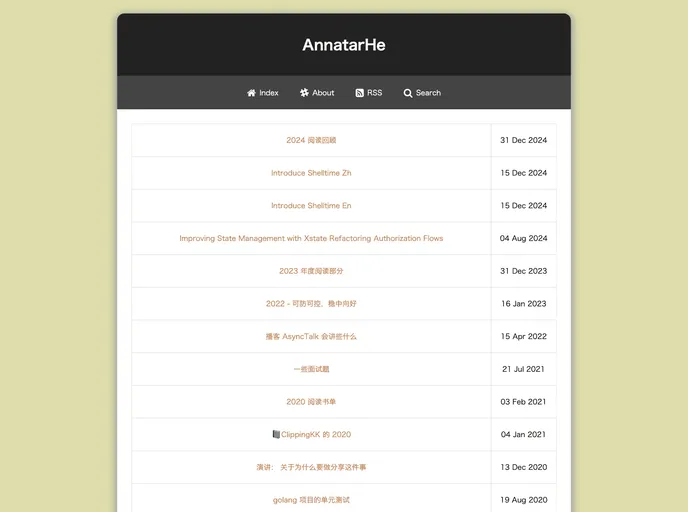
BlogAnnatarHe.github.io is a website that focuses on providing blog content in the technology niche. It offers a platform for individuals to showcase their thoughts, ideas, and expertise in various topics related to the tech industry. The website is designed to be user-friendly and visually appealing, with a clean and modern layout.
Features:
- Easy-to-use interface: The website has a simple and intuitive interface, making it easy for users to navigate and find the content they are interested in.
- Multiple blog post categories: Users can browse through different categories such as software development, hardware, cybersecurity, and more, to find blog posts that align with their interests.
- Responsive design: The website is designed to be responsive, ensuring an optimal viewing experience across all devices, including desktop, tablets, and mobile phones.
Installation:
To install the BlogAnnatarHe.github.io theme, follow these steps:
- Download the theme files from the official website or GitHub repository.
- Extract the downloaded ZIP file to your desired location.
- Open your preferred code editor and navigate to the extracted theme folder.
- Locate the
index.htmlfile and open it in your code editor. - Customize the theme by modifying the HTML, CSS, and JavaScript files according to your preferences.
- Save the changes and open the
index.htmlfile in a web browser to see the updated theme.
Summary:
BlogAnnatarHe.github.io is a user-friendly website that offers a platform for tech enthusiasts to share their knowledge and insights through blog posts. With its intuitive interface, multiple blog categories, and responsive design, it provides a seamless browsing experience across various devices. Installing the theme is a straightforward process, allowing users to customize it according to their preferences.












































