



 Github Stars:
 Last Commit:
  Created:
Overview
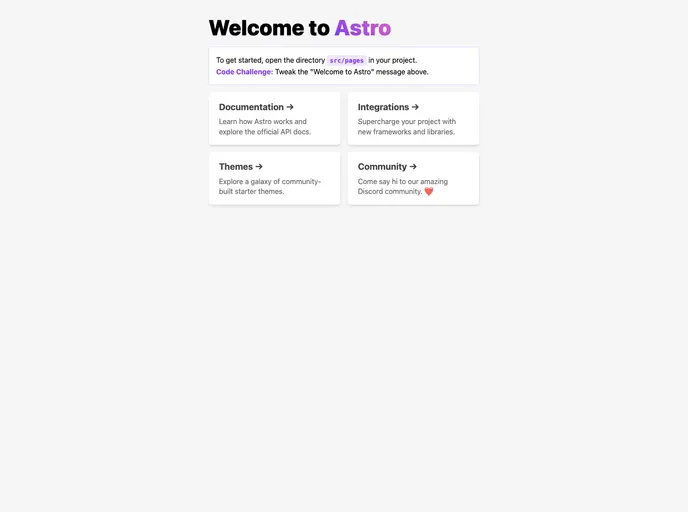
The Astro Starter Template is a convenient starting point for creating projects with Astro, a new project for creating websites using a modern approach. This template provides a basic structure for organizing files and folders, as well as a set of commands for installation, development, building, and previewing the project. It is created by Le Minh Tri, and is released under the MIT License.
Features
- Astro Project Structure: Provides a clear structure for organizing files and folders in an Astro project, with specific directories designated for different purposes.
- Route-based Pages: Allows each page to be exposed as a route based on its file name, making it easy to navigate and manage different pages.
- Component Placement: Recommends placing Astro/React/Vue/Svelte/Preact components in the src/components/ directory for easier organization.
Installation
To install the Astro Starter Template, follow these steps:
- Open your terminal and navigate to the root directory of your project.
- Run the following command to install the dependencies:
pnpm install
- To start the local development server, use the following command:
pnpm run dev
This will start the server at localhost:3000. 4. For building the production site to the ./dist/ directory, execute the following command:
pnpm run build
- To preview the build locally before deploying, use the command:
pnpm run preview
- The Astro CLI provides additional commands like astro add and astro preview. You can run them using the following syntax:
pnpm run astro ...
To get help with the Astro CLI, run the following command:
pnpm run astro --help
Summary
The Astro Starter Template is a useful starting point for creating projects with Astro. It provides a clear project structure and recommended component placement, making it easier to organize and navigate through the project. With a set of commands for installation, development, building, and previewing, creating websites with Astro becomes more efficient.












































