



 Github Stars:
 Last Commit:
  Created:



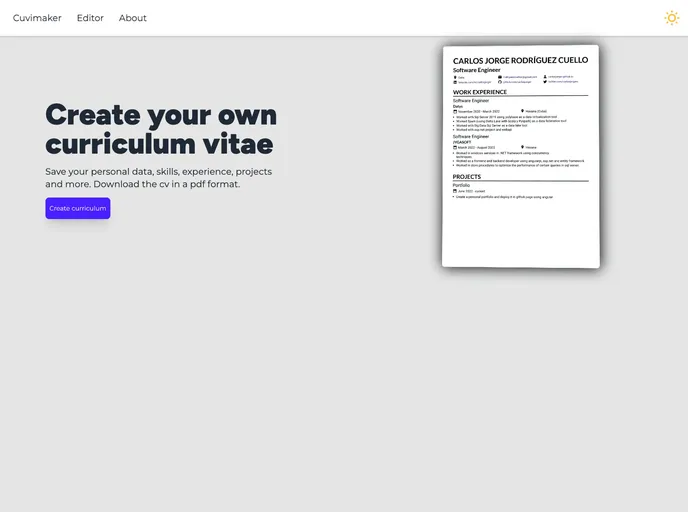
Overview
CUVIMAKER is an online CV maker web application that allows users to design a custom curriculum vitae and save it in a PDF format. With its user-friendly interface and variety of features, CUVIMAKER makes it easy for individuals to create professional resumes that stand out.
Features
Editor Example: CUVIMAKER provides an intuitive editor interface that allows users to easily create and customize their CVs.
Light/dark mode: Users can switch between light and dark themes according to their preference.
Local Storage: CUVIMAKER saves the progress made by users locally, so they can continue working on their CVs at a later time without losing any data.
Responsive: The web application is designed to be responsive, ensuring that users can create resumes on any device, including smartphones and tablets.
PDF format: CUVIMAKER allows users to save their CVs in a PDF format, making it easy to share and print them.
Installation
To install CUVIMAKER, follow these steps:
- Open the terminal.
- Navigate to the root of the project.
- Run the command
npm installto install the dependencies. - After the installation is complete, run the command
npm run devto start the local dev server atlocalhost:3000. - If you want to build the production site, run
npm run build. The build will be saved in the./dist/directory. - To preview your build locally before deploying, run
npm run preview.
Summary
CUVIMAKER is an efficient and user-friendly online CV maker web application. With its intuitive editor and range of features, users can easily create customized and professional-looking resumes. The ability to switch between light and dark modes, local storage for easy resume editing, and the option to save CVs in a PDF format make CUVIMAKER a valuable tool for job seekers and professionals.










































