



 Github Stars:
 Last Commit:
  Created: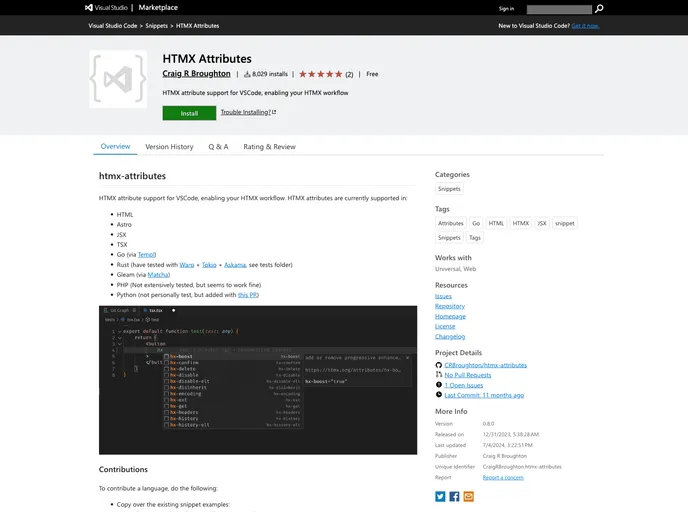
Overview
The HTMX attribute support for VSCode is a powerful tool designed to enhance your development workflow with HTMX in several programming languages. This extension simplifies the integration of HTMX attributes in your code, making it a seamless experience for developers working in HTML, Astro, JSX, TSX, Go, Rust, and more. With its user-friendly features, this extension empowers developers to implement dynamic functionalities with ease, ensuring a robust and productive coding environment.
The versatility of this extension opens up numerous possibilities for developers across different coding languages, thus fostering a more efficient and intuitive development process. Whether you’re creating web applications or working with templating languages, HTMX for VSCode can elevate your coding capabilities dramatically.
Features
Multi-language Support: Compatible with HTML, Astro, JSX, TSX, Go, Rust, Gleam, PHP, and Python, making it highly versatile for various projects.
Core Snippets: The extension includes core snippets that feature HTMX’s essential attributes, streamlining the coding process.
Additional Attributes: Users can access snippets for additional HTMX attributes to enable more complex functionalities easily.
Easy Contributions: Developers can contribute support for new languages simply by copying existing snippets and making necessary adjustments.
Testing Framework: Includes a dedicated testing folder where you can create test files for manual testing before submitting pull requests.
Built with Modern Tools: Developed using bun v1.0.14, a fast all-in-one JavaScript runtime, ensuring optimal performance and efficiency.
Installation Ease: Simple instructions for installing dependencies and building the extension enhance user experience right from the start.
This extension is a solid choice for any developer looking to leverage HTMX capabilities while working in VSCode.












































