



 Github Stars:
 Last Commit:
  Created:

Overview:
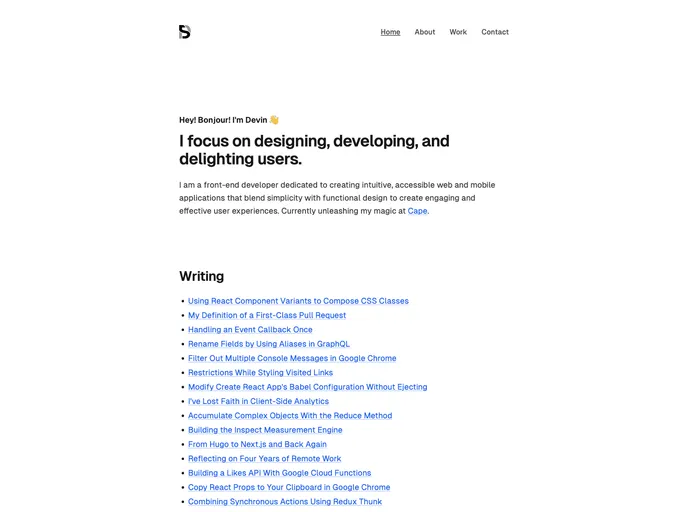
The Astro Starter Kit is a blog theme that provides a minimalistic design and various features to create a customizable and high-performing blog. It is built with Astro, a static site builder that allows developers to create fast and dynamic websites using familiar tools like React, Vue, Svelte, and more. With features such as SEO-friendly URLs, sitemap and RSS feed support, Markdown and MDX support, and a well-organized project structure, the Astro Starter Kit is a powerful tool for building a professional blog.
Features:
- Minimal styling (make it your own!): The Astro Starter Kit provides a clean and minimalistic design, allowing users to easily customize the theme according to their preferences.
- 100/100 Lighthouse performance: The theme is optimized for performance, achieving a perfect score of 100/100 in the Lighthouse performance metrics.
- SEO-friendly with canonical URLs and OpenGraph data: The Astro Starter Kit ensures proper SEO optimization by providing canonical URLs and OpenGraph data, making it easier for search engines to crawl and index the blog.
- Sitemap support: The theme has built-in support for generating a sitemap, allowing users to easily create a structured map of their blog’s content for search engines.
- RSS Feed support: The Astro Starter Kit includes RSS feed support, enabling users to syndicate their blog content and make it available for subscription.
- Markdown & MDX support: The theme supports both Markdown and MDX formats, providing flexibility in writing and formatting blog posts.
Installation:
To install the Astro Starter Kit, follow these steps:
- Open a terminal and navigate to the root directory where you want to install the theme.
- Run the command
npm installto install the dependencies. - After the installation is complete, you can start the local development server by running
npm run dev. This will start the server atlocalhost:4321. - To build the production site, use the command
npm run build. The built site will be located in thedist/directory. - If you want to preview your build locally before deploying it, use the command
npm run preview. - The Astro CLI provides additional commands that can be run using the
npm run astrocommand. To get help with the Astro CLI, runnpm run astro -- --help.
Summary:
The Astro Starter Kit is a powerful and customizable blog theme built with Astro. It provides a minimalistic design, ensures high-performance with a perfect Lighthouse score, and includes essential features such as SEO-friendly URLs, sitemap support, and RSS feed support. With support for Markdown and MDX, users can easily write and format their blog posts. The theme comes with a well-organized project structure, making it easy to navigate and maintain the codebase. The Astro Starter Kit is a reliable option for developers looking to build a professional and performant blog.












































