



 Github Stars:
 Last Commit:
  Created:


Overview:
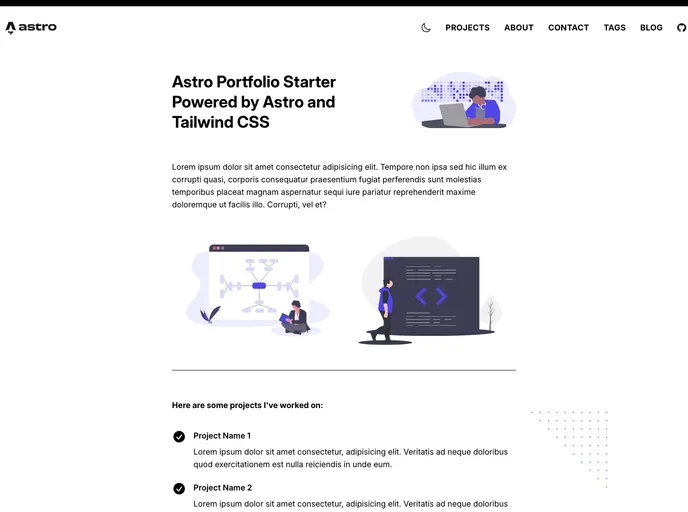
The Astro Portfolio Starter is a simple portfolio and blog theme designed for use with Astro. It features a clean and minimal design and utilizes Tailwind CSS with the Astro integration. The theme also includes a blog with MDX markdown content for posts, along with support for Vue and React components directly within the Markdown. It also includes a theme switcher with Light and Dark Mode, view transitions using Astro’s implementation, tags for posts, basic pagination, syntax highlighting, and illustrations from unDraw. The theme is based on a previous project built in Gridsome.
Features:
- Clean and minimal design
- Tailwind CSS using the Astro integration
- Blog with MDX markdown content for posts
- Supports Vue and React components directly within the Markdown
- Theme Switcher with Light and Dark Mode
- View Transitions using Astro’s implementation
- Tags for posts
- Basic pagination
- Syntax highlighting
- Illustrations from unDraw
- 404 Page
Installation:
To install the Astro Portfolio Starter theme, follow these steps:
- Clone the repo:
git clone https://github.com/drehimself/astro-portfolio-starter.git - Change to the project directory:
cd astro-portfolio-starter - Install the dependencies:
npm install - Start a local development server:
npm run dev - Build the app for production:
npm run build
Summary:
The Astro Portfolio Starter is a theme designed for use with the Astro framework. It offers a clean and minimal design, support for Tailwind CSS, and includes features such as a blog with MDX markdown content, support for Vue and React components, a theme switcher with Light and Dark Mode, view transitions, tags for posts, basic pagination, syntax highlighting, and illustrations from unDraw. It is a versatile theme that can be used to showcase portfolios and create blogs with ease.












































