



 Github Stars:
 Last Commit:
  Created:



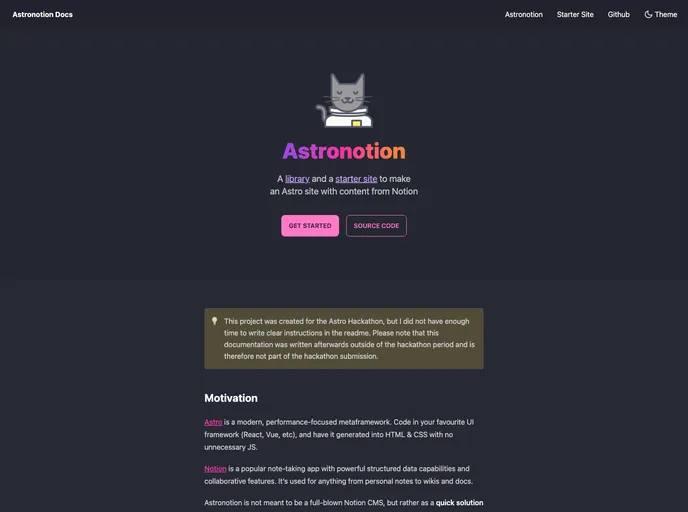
Overview:
The Astronotion starter site is an opinionated starter site or theme designed to help users quickly set up an Astro site with Notion content. It utilizes the Astronotion library to fetch, transform, and render data from Notion using Astro components. The site is fast, accessible, and SEO-friendly, with features such as a sitemap, metadata, web manifest, semantic HTML markup, and lazy loaded images. It also offers multiple customizable color modes using Tailwind and daisyUI. Markdown examples are provided for non-Notion use cases. The starter site is currently only available in SSG (static site generation) format.
Features:
- Astronotion Integration: Fetches, transforms, and renders data from Notion using the Astronotion library.
- Fast and Accessible: The site is designed to be fast and accessible for optimal user experience.
- SEO-friendly: Includes features such as sitemap, metadata, and semantic HTML markup to improve search engine visibility.
- Lazy Loaded Images: Images are lazy loaded for improved performance.
- Multiple Color Modes: Offers multiple customizable color modes using Tailwind and daisyUI.
- Markdown Examples: Provides examples of using Markdown for non-Notion use cases.
Installation:
To install the Astronotion starter site, follow these steps:
- Clone the repository:
git clone https://github.com/ekafyi/astronotion-starter-ssg.git - Navigate to the project directory:
cd astronotion-starter-ssg - Install the dependencies:
npm install(You can also use yarn or pnpm) - Edit the config file to customize the site content and data:
src/configs/an-starter-config.mjs - Replace the static assets (favicon, branding icons) with your own assets in the
publicdirectory. - Replace the sample Notion page IDs with your own. Make sure the Notion page is shared publicly.
- Build your production site:
npm run build - Deploy the contents of the
distdirectory to your hosting service.
You can also choose to deploy the site using Vercel or Netlify by running the respective deploy commands from the command line or triggering automatic deployment when you push to your connected repository.
Summary:
The Astronotion starter site is a feature-rich and opinionated theme that allows users to quickly set up an Astro site with Notion content. With its integration of the Astronotion library, the site is able to fetch, transform, and render data from Notion using Astro components. It offers a range of features, including fast and accessible design, SEO-friendly elements, lazy loaded images, and multiple customizable color modes. Additionally, the starter site provides examples for using Markdown in non-Notion use cases. The installation process is straightforward, and users have the option to deploy the site using Vercel or Netlify.










































