



 Github Stars:
 Last Commit:
  Created:


Overview:
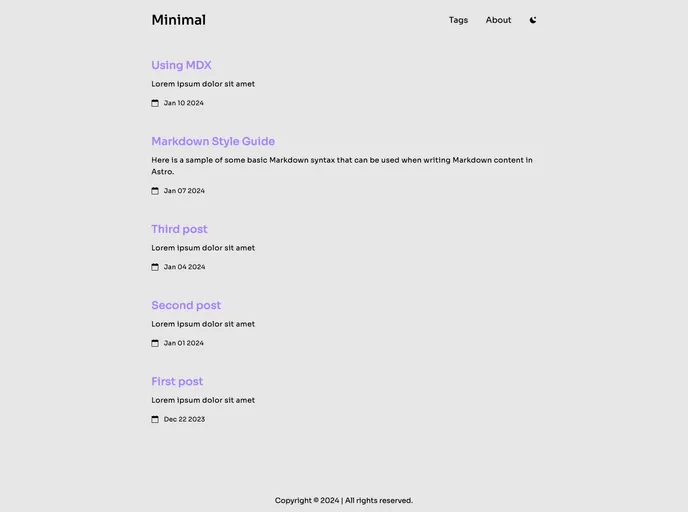
Minimal is a minimalistic astro theme designed for blogs. It offers features such as Astro v4 integration, Tailwind for styling, responsive and SEO-friendly design, dark/light mode support, MD & MDX posts compatibility, Shiki code syntax styling, and icons by Svgrepo.
Features:
- Astro v4: Utilizes Astro version 4 for efficient performance.
- Tailwind for Styling: Styling with Tailwind CSS for a polished look.
- Responsive & SEO-friendly: Ensures compatibility with different devices and enhances SEO.
- Dark/Light Mode Support: Offers options for dark and light modes.
- MD & MDX Posts: Supports both Markdown and Markdown Extended formats for posts.
- Shiki Code Syntax Styling: Enhanced styling for code blocks using Shiki.
- Icons by Svgrepo: Uses icons from Svgrepo to enhance visual appeal.
Installation:
To install the Minimal theme, follow these steps:
- Create a new repository from the Minimal template.
- Configure the site settings in astro.config.mjs and data for meta tags in src/config.ts.
- Customize the layout colors by modifying the colors in the Tailwind config.
- Customize the theme for code blocks as needed.
- To add a new post, create a new md/mdx file inside src/pages/posts.
Commands for managing the theme:
npm install: Installs dependencies.npm run dev: Starts the local development server at localhost:4321.npm run build: Builds the production site to ./dist/.npm run preview: Previews the build locally before deployment.npm run astro ...: Runs Astro CLI commands like add and check.npm run astro -- --help: Provides help using the Astro CLI.
Summary:
Minimal is a sleek and minimalistic astro theme ideal for blogs with its range of features such as Astro v4 integration, Tailwind styling, dark/light mode support, and more. Its ease of customization and support for different post formats make it a versatile choice for bloggers looking for a clean and modern design.












































