



 Github Stars:
 Last Commit:
  Created:


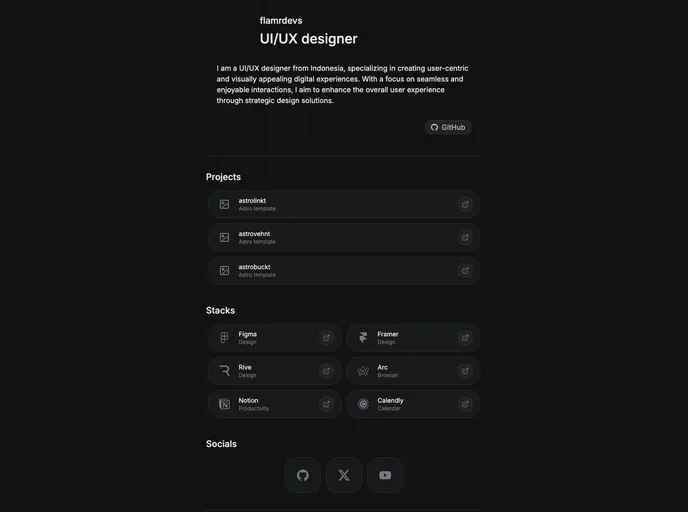
Overview
The Astrolinkt Link in Bio Template is a web development template created with Astro, React, and Tailwind CSS. It is built using TypeScript and incorporates Radix UI and Klass. With easy customization options and a focus on aesthetics, this template offers a quick start for creating stylish link-in-bio pages.
Features
- Tech Stack: Utilizes TypeScript, React, and Tailwind CSS for a robust and modern development environment.
- Quick Start: Users can create a repository from a template or clone the existing repository to begin their project seamlessly.
- Customization: Easily customize content and colors using tools like the VSCode Todo Tree Extension and the Radix color system.
- Theme: Supports both light and dark mode themes that can be set using html data attributes in the HTML.astro file.
Installation
To install the Astrolinkt Link in Bio Template, follow these steps:
- Create a repository from the template or clone the existing repository.
- Install the required packages by running the appropriate command.
npm install
- Start the Astro development server to preview your changes.
npm run dev
- Customize the content and colors according to your preferences.
- For color customization, refer to the tailwind.config.ts file for the Radix color system settings.
- To switch between light and dark modes, modify the html data attributes in the src/components/HTML.astro file.
- Astrolinkt was developed by flamrdevs and is licensed under MIT.
Summary
The Astrolinkt Link in Bio Template offers developers a modern and customizable solution for creating link-in-bio pages. With a tech stack that includes TypeScript, React, and Tailwind CSS, this template provides a quick start for projects. Users can easily install the template, make necessary customizations, and switch between light and dark themes to match their design preferences.












































