



 Github Stars:
 Last Commit:
  Created:

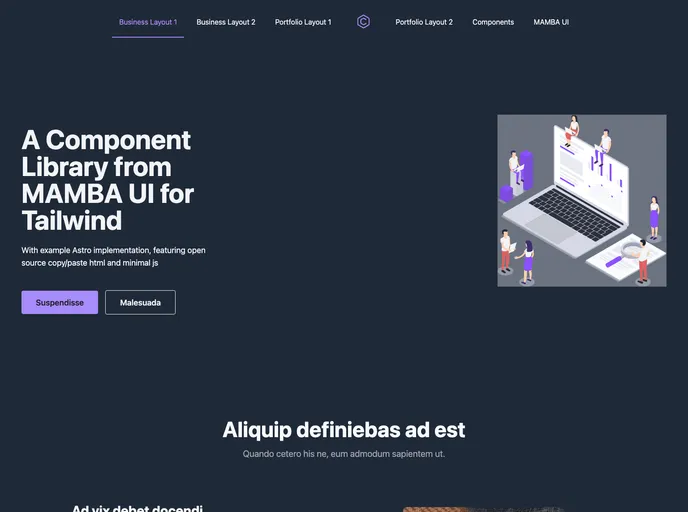
Overview
The Example Astro template is designed for use with the MAMBA UI (Tailwind) component library. The goal of this template is to provide a minimalistic and responsive layout for web applications. It combines Astro and MAMBA UI to offer easy integration, minimal JavaScript usage, and open-source compatibility. It is important to note that this template is not fully functional and only includes main example layout pages.
Features
- Astro and MAMBA UI Integration: The template seamlessly integrates Astro and MAMBA UI, allowing for easy implementation and customization of web applications.
- Responsive Components: The template includes responsive components that adapt to different screen sizes, ensuring a consistent user experience across devices.
- Minimal JavaScript Support: The use of JavaScript or JSX is kept to a minimum, making the template lightweight and efficient.
- Open Source Compatibility: The template is open source and can be freely used and modified to suit individual project requirements.
Installation
To install and use the Example Astro template, follow these steps:
- Clone or download the template files from the provided repository.
- Open the downloaded folder in your preferred text editor or integrated development environment (IDE).
- Install any necessary dependencies by running the following command:
npm install
- Start the development server by running the command:
npm run dev
- Open your web browser and navigate to the specified localhost address to preview the template.
Summary
The Example Astro template offers a combination of Astro and MAMBA UI for creating minimalistic and responsive web application layouts. With its easy integration, minimal JavaScript usage, and open-source compatibility, it provides a solid foundation for developers to build upon and customize according to their requirements. Although it is not fully functional, it serves as a starting point for creating well-designed web applications.












































