



 Github Stars:
 Last Commit:
  Created:


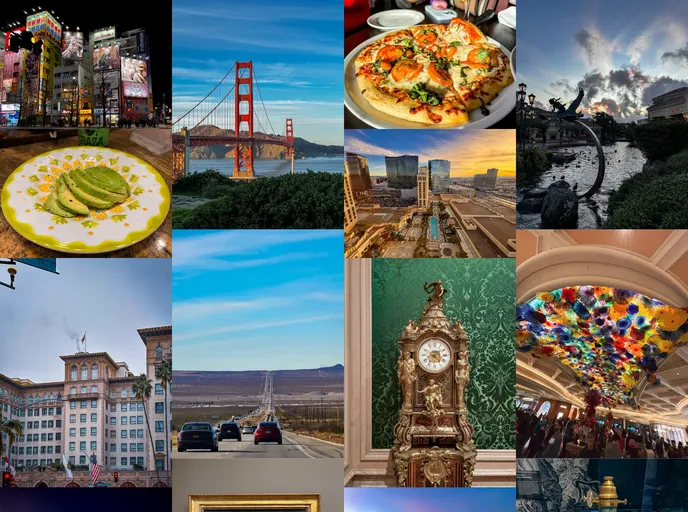
Overview:
Musée is a theme that was initially created as an experimentation with Remix.run, but has now been rewritten using Astro.build. It was developed to address the limitations of using Ruby for hosting images in the existing waschinski/photo-stream gallery. The main goal of Musée is to deliver a masonry layout without relying on client-side JavaScript, while still ensuring responsiveness. However, due to the current limitations of CSS Grid Masonry, some client-side JavaScript is required. The theme offers various features such as image thumbnail generation, image compression, removal of image metadata, TypeScript support, static generation, TailwindCSS integration, and OpenGraph meta tags.
Features:
- Generate image thumbnails
- Compress original images
- Strip image metadata before deployment
- Typescript support
- Statically Generated
- Uses TailwindCSS
- OpenGraph meta tags
- Captions for images (in progress)
- Device metadata for images (in progress)
- Image geo-tag map generation (in progress)
Installation:
To install the Musée theme, follow these steps:
- Install the required dependencies.
- Load your images in the
src/assets/images/originaldirectory. - Start the development server.
Summary:
Musée is a theme developed initially with Remix.run and now rewritten using Astro.build. It aims to overcome the limitations of Ruby-based image hosting through the waschinski/photo-stream gallery. The primary objective is to deliver a masonry layout without relying entirely on client-side JavaScript. The theme incorporates features such as image thumbnail generation, image compression, removal of image metadata, TypeScript support, static generation, TailwindCSS integration, and OpenGraph meta tags. While client-side JavaScript is still required for some aspects, the goal is to minimize its usage. You can contribute to the project by making a pull request on the repository.










































