



 Github Stars:
 Last Commit:
  Created:

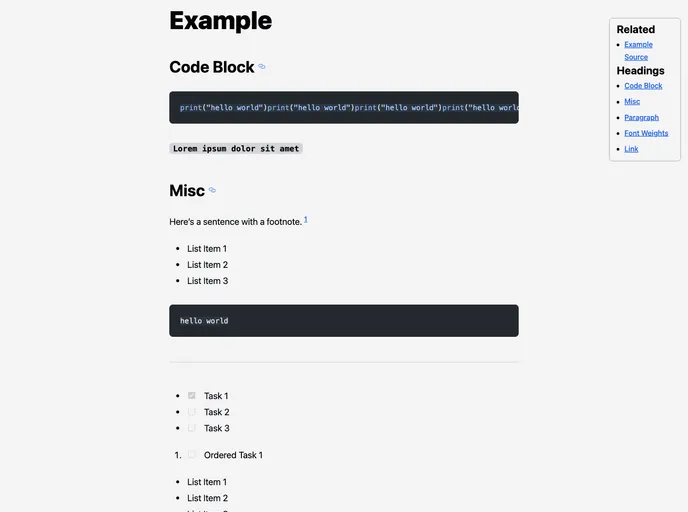
Overview
Obsidian Notes is a project that allows users to publish their notes created in Obsidian as websites. The goal of this project is to make it easy to add Obsidian files to a repository and deploy them without needing to adjust frontmatter. Users can also add a footer with social links to their notes.
Features
- Easy publishing of notes created in Obsidian as websites
- Optional frontmatter property for adding a footer with social links
- Integration with Astro content collections
- Customization of typography using Tailwind and Tailwind Typography
- Accessibility tweaks with Rehype plugin
- Deployment options include CloudFlare Pages, GitHub Pages, Netlify, Vercel, etc.
- Automatic linking of related notes in the same directory
- Inclusion of headings in the menu based on Markdown syntax
- Integration with Obsidian using a zsh alias for copying notes to the repository
- Customization of styles for footnote links, checkboxes, scrollbars, and codeblocks using tailwind config and styles.css
Installation
To install Obsidian Notes, follow these steps:
- Clone the repository.
- Set the base in the astro.config.mjs file to your deployment URL.
- Update the links in /src/components/Footer.astro to your social media profiles.
- Copy the .md or .mdx files you want to publish to the /src/content/notes/ directory.
- Deploy the project using your preferred static site service.
Please note that for some services, you may need to connect a repository and deploy it before obtaining a URL. In this case, deploy without setting the site in the astro config, get the deployed URL, update the config, and push to redeploy.
Summary
Obsidian Notes is a project that simplifies the process of publishing notes created in Obsidian as websites. It offers features such as easy deployment, customizable styles, and integration with Astro content collections. By following the installation guide, users can quickly set up Obsidian Notes and start sharing their notes online.











































