



 Github Stars:
 Last Commit:
  Created:
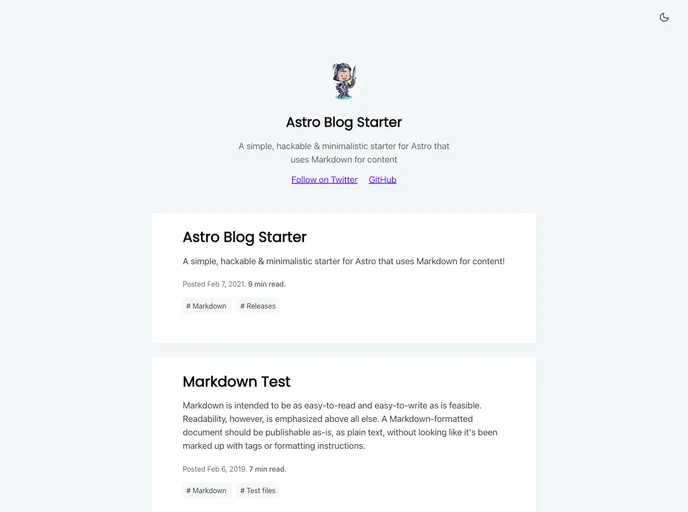
Overview:
The Astro Starter Kit is a tool for building static websites with Astro. It provides a basic project structure and a set of commands for development and production builds. The kit includes folders for pages and components, and allows for the inclusion of static assets. It also offers a range of commands for installing dependencies, starting a local development server, building the production site, previewing the build, and running CLI commands.
Features:
- Project Structure: The Starter Kit organizes the project into specific folders, such as pages, components, and public, for easy navigation and management.
- Routing System: Astro automatically generates routes for each page based on their file names, simplifying the process of creating multiple pages.
- Static Asset Management: The public folder allows for the convenient inclusion of static assets like images within the project.
- Installation Commands: The provided commands, such as
npm install, make it easy to install the required dependencies for the Astro project. - Development Server: The
npm run devcommand starts a local development server atlocalhost:3000, allowing for real-time preview and testing of the website. - Production Build: The
npm run buildcommand builds the production site and outputs it to the./dist/directory, ready for deployment. - Local Preview: The
npm run previewcommand allows for a local preview of the build, providing a way to review the website before deploying it. - CLI Commands: The Starter Kit supports various CLI commands, such as
astro addandastro check, providing additional flexibility and customization options.
Installation:
To install the Astro Starter Kit, follow these steps:
- Open a terminal and navigate to the root directory of your project.
- Run the command
npm installto install all the required dependencies.
Summary:
The Astro Starter Kit provides a structured and convenient starting point for building static websites with Astro. Its features, such as the project structure, routing system, and static asset management, make development and management easier. With commands for installation, local development server, production build, local preview, and CLI usage, the Starter Kit offers a comprehensive set of tools for building and customizing Astro projects.












































